
See how IT Audit Factory fits the audit workflow.
Explore real IT Audit Factory screens for framework selection, assessment runs, guided audit preparation and reporting.
Screenshots show the 4.1.0 Public Candidate application and reports for the example client Company1. Readiness figures reflect the assessment state shown.
One client can manage multiple certification programs.
Independent scope
Each certification/program can maintain its own scope, owners, target dates, evidence context and readiness state.
Same framework, multiple programs
A client can operate multiple instances of the same framework when the scopes or business units differ.
Program-scoped exports
Runs, reports and auditor packages identify the active framework/program instead of collapsing all work into one client-wide state.
Product workflow tour
Choose a screen to explore the application and its reports. Select a screenshot to view it full size.
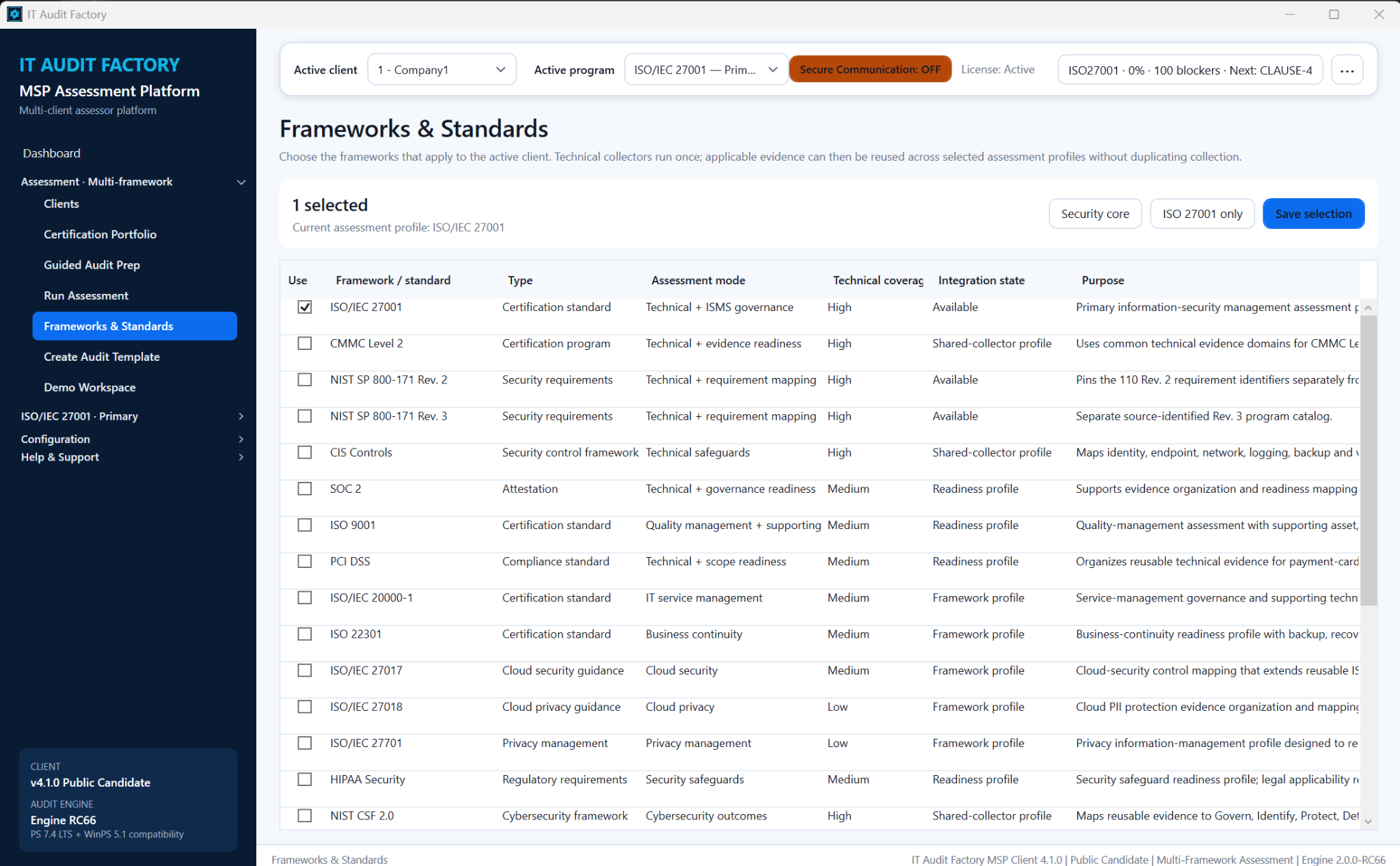
Frameworks & Standards
This screen lists the frameworks available for the active client, with their assessment modes, technical coverage, and integration status. Use it to select the standards that apply and set the assessment scope.
View full-size screenshot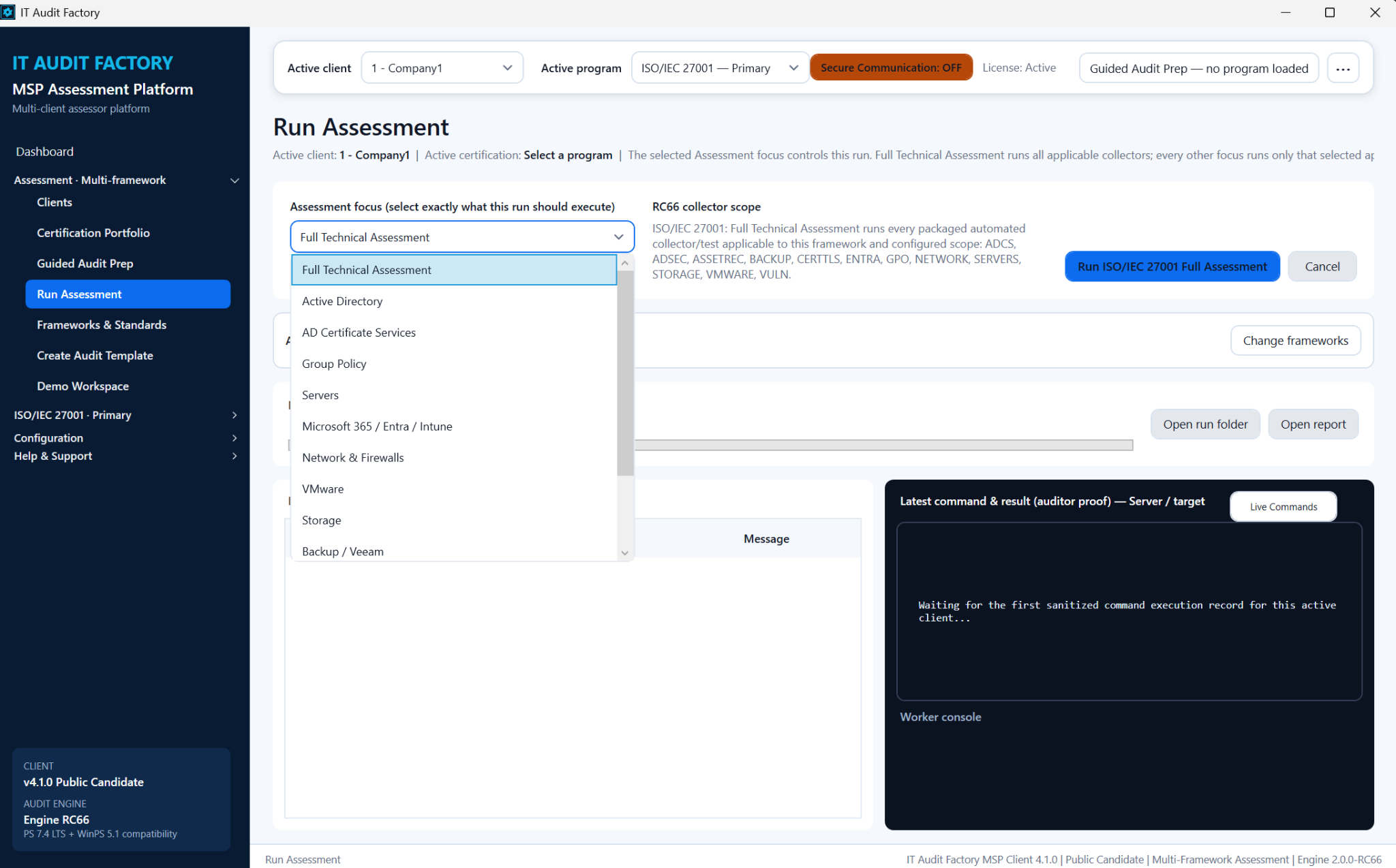
Run Assessment
This screen shows assessment options, collector scope, run progress, and command records. Use it to start a full technical assessment or focus on an area such as Active Directory, servers, or Microsoft 365, then monitor the run.
View full-size screenshot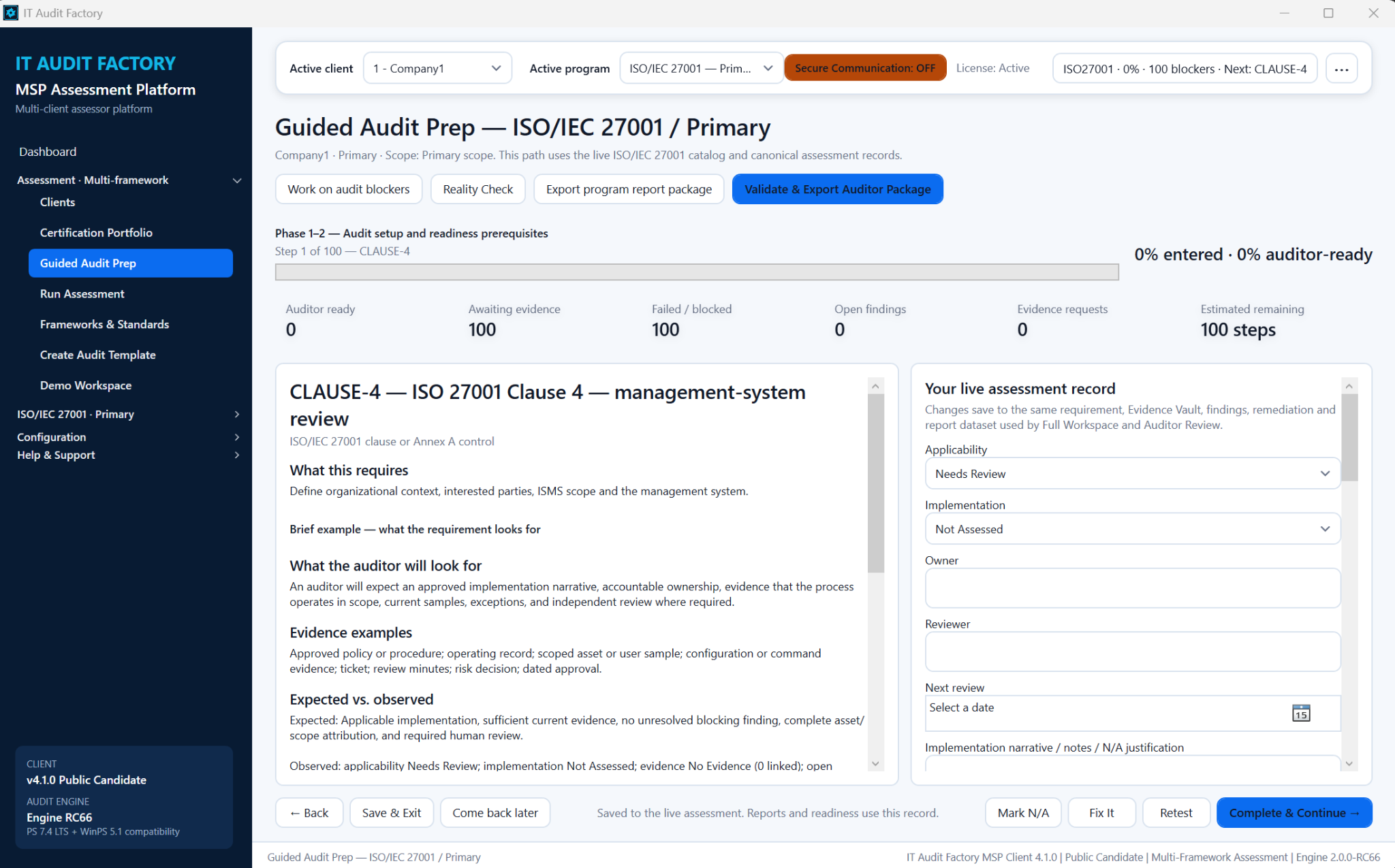
Guided Audit Prep
This screen pairs an ISO/IEC 27001 requirement with auditor expectations, evidence examples, and the live assessment record. Use it to work through requirements, record implementation details, assign ownership, and track evidence and review needs.
View full-size screenshot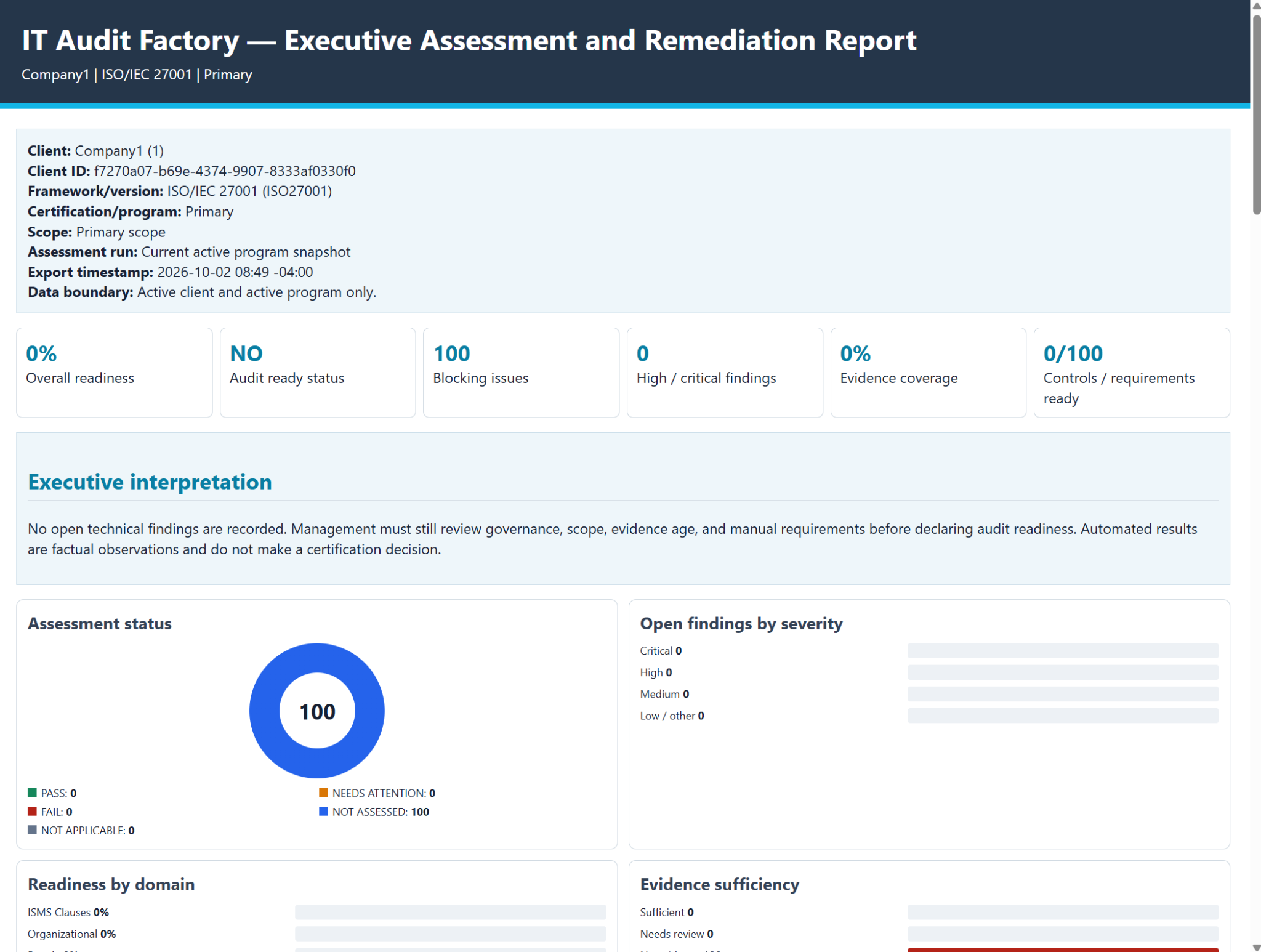
Executive Assessment and Remediation Report
This report summarizes readiness, blocking issues, evidence coverage, assessment status, and findings by severity for the active client and program. Use it to brief leadership and prioritize the work needed before an audit.
View full-size screenshot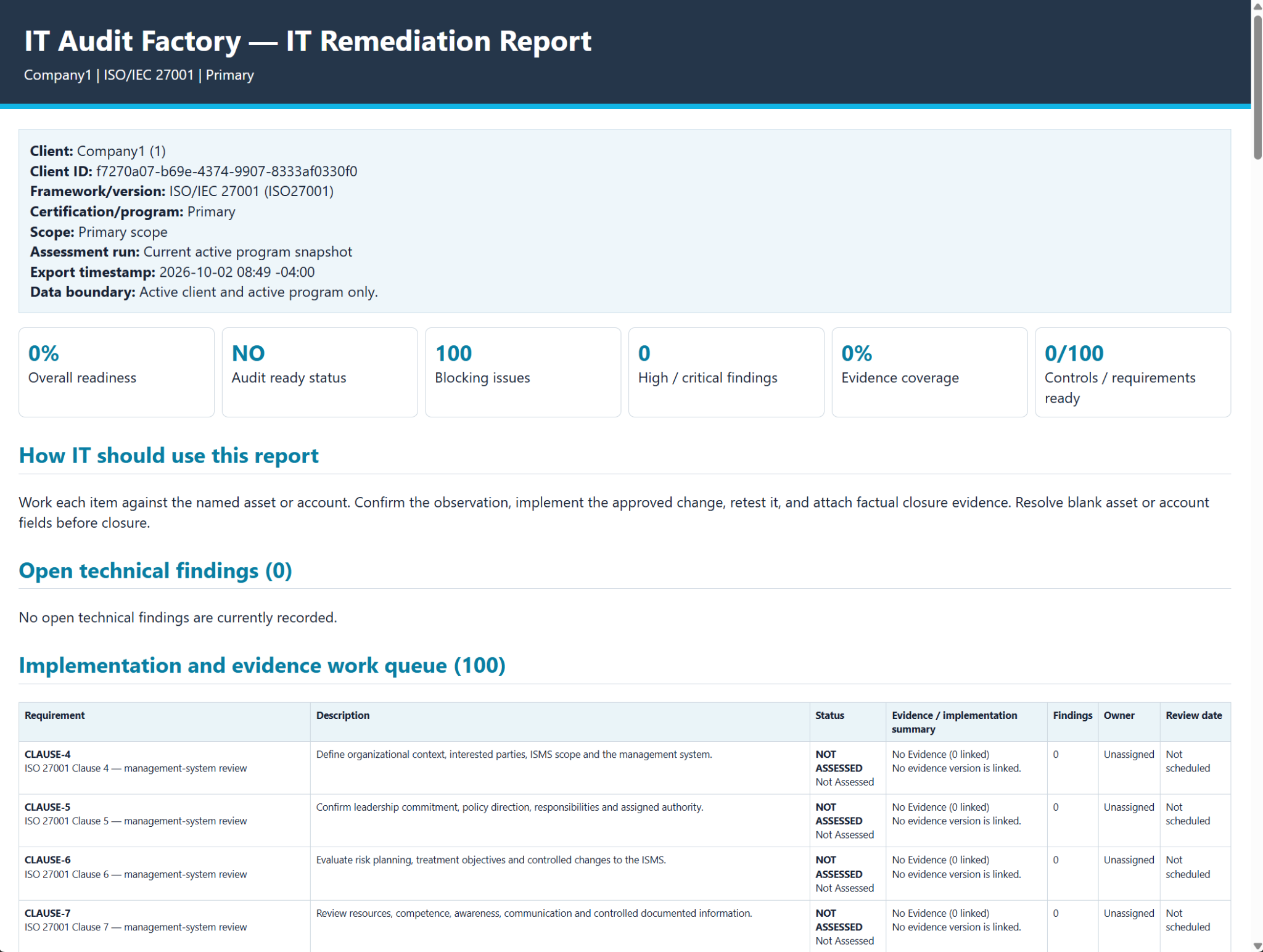
IT Remediation Report
This report shows readiness indicators, open technical findings, and an implementation and evidence work queue with statuses, owners, and review dates. Use it to plan remediation, track outstanding requirements, and identify the evidence needed to demonstrate completion.
View full-size screenshot